
Open source · MIT · In the browser
See what the wearer sees.
WASD previews any web app on the display of Meta Ray-Ban Display glasses, over real scenes filmed through the glasses. No hardware needed.
14:32 · 18°
Next stop: Harbour St
3 min · turn left at the lights
Only
open-source simulator we found that shows how a waveguide adds light to the world
20
scenes, every one filmed through the glasses over three months of daily wear
3:1
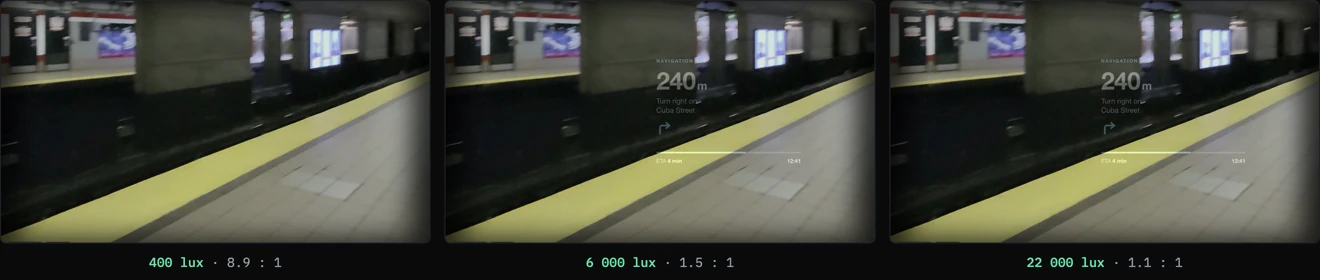
contrast and above reads on the lens. Below 1.5:1 the design is lost, and WASD tells you which you have
0
hardware, build steps or dependencies. It runs in a browser tab
From the WASD repository and a GitHub search, October 2026.
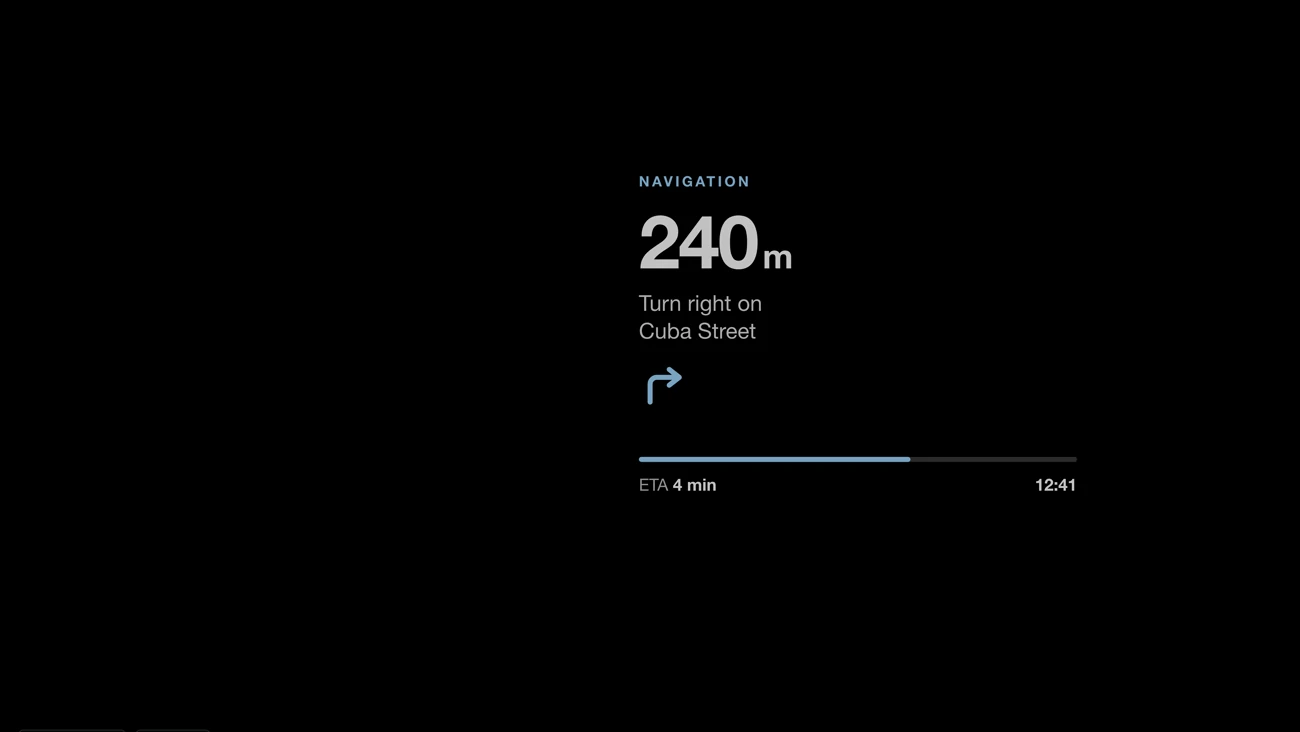
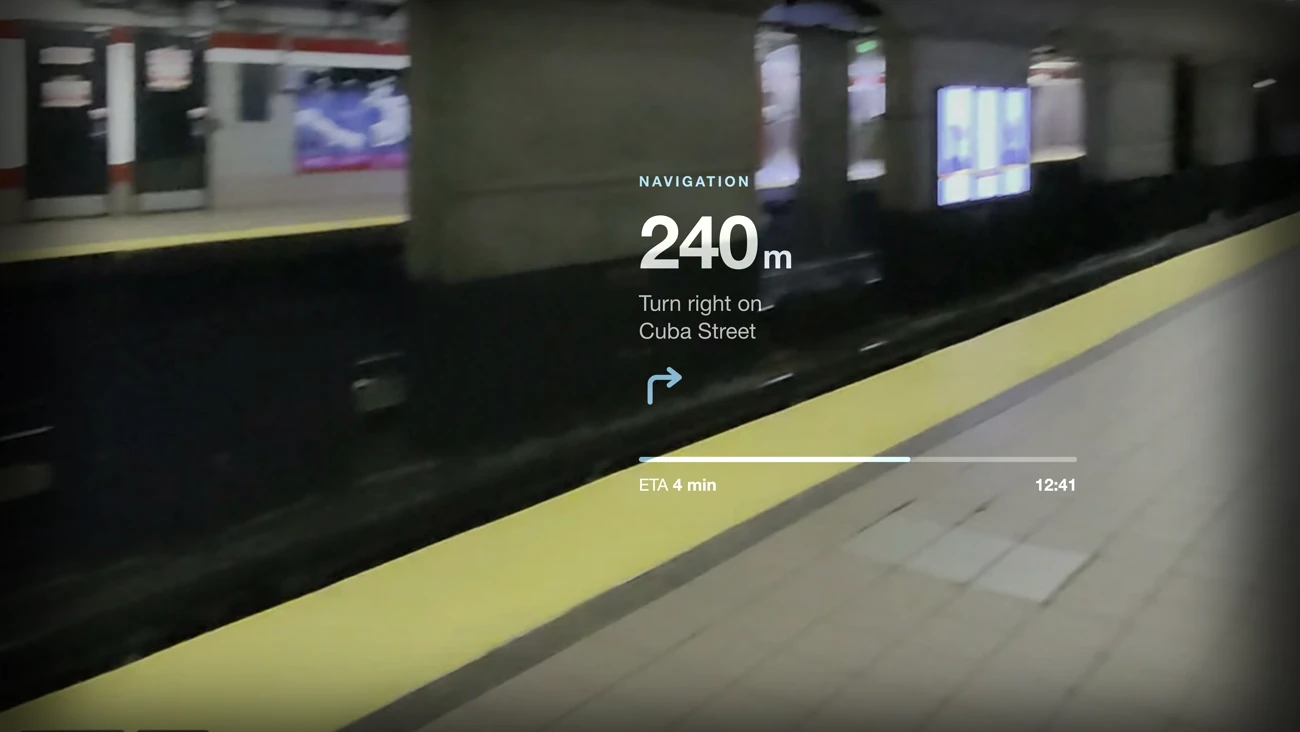
Black is clear glass
A waveguide display adds light to the world. Pure black emits nothing, so it renders as see-through, and dark text disappears entirely. Most web apps ported to glasses are unreadable in daylight for exactly this reason.
WASD composites your app over footage from the glasses the same way, so you see the problem in about five seconds instead of walking outside to squint at it.
Raise the light, watch it fail
The same frame at three ambient levels.
A whole lens in a tab
Built because the loop of put it on, walk outside and squint was too slow.
In-lens launcher
The display runs a small keyboard-driven OS: six apps, moved through with W A S D or the arrows.
Any URL
Load your own app into the lens. It stays live and interactive inside the panel.
Create in place
Describe an app and it is generated straight into the lens, tuned for additive optics and shareable as a link.
Real optics
Display brightness and ambient light as separate quantities, with the contrast ratio they produce.
Capture and record
Hand someone a video of exactly what a wearer sees, framed like the glasses’ own recorder.
QR handoff
Open the app on real glasses with a scan, and deep links that restore the whole setup.
The numbers it models
From the README.
| Device | Meta Ray-Ban Display. Another device is one profile plus clips shot on it |
|---|---|
| Display | 300 to 2000 nits |
| Ambient | 50 to 30 000 lux, with the contrast ratio the two produce |
| Recording | 16:9 point of view, or 1:1 like the glasses’ own recorder |
| Runs | Static files in a browser; no build step |
| Licence | MIT |
Three months of daily wear, in a tool
Every scene was shot on the glasses on the east and west coasts of the US, at a wearer’s height rather than a phone’s.