
Open source · MIT · Mac, Windows, Linux
Ask your Mac. It shows you where.
A free voice assistant for your computer. Ask about your screen and a pointer lands on the answer. Talk, and it types for you.
23
releases in eight weeks, from v0.2 on 3 September to v0.10 on 28 October
3
platforms. The Windows and Linux clients were contributed by developers outside FlowsXR
11
dictation languages with your Sarvam key, ten of them Indian, written in native script or roman letters
Free
accounts with $10 of use a month, paid by a research grant. No key needed
From the GitHub repository, October 2026.
Hold two keys and ask about your screen
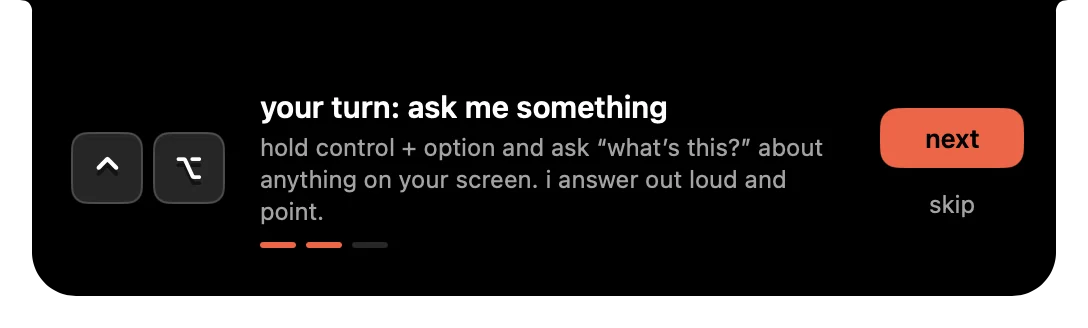
Ask out loud and the answer is spoken while the pointer flies to the thing you need, one step at a time for walkthroughs. Tap control twice to type the question instead.
- Shortcut
- Hold ⌃ control + ⌥ option, anywhere
- Voice
- OpenAI Realtime, with a tool that points at the screen
- Skills
- 17 app-teaching skills, matched to the app in front of you
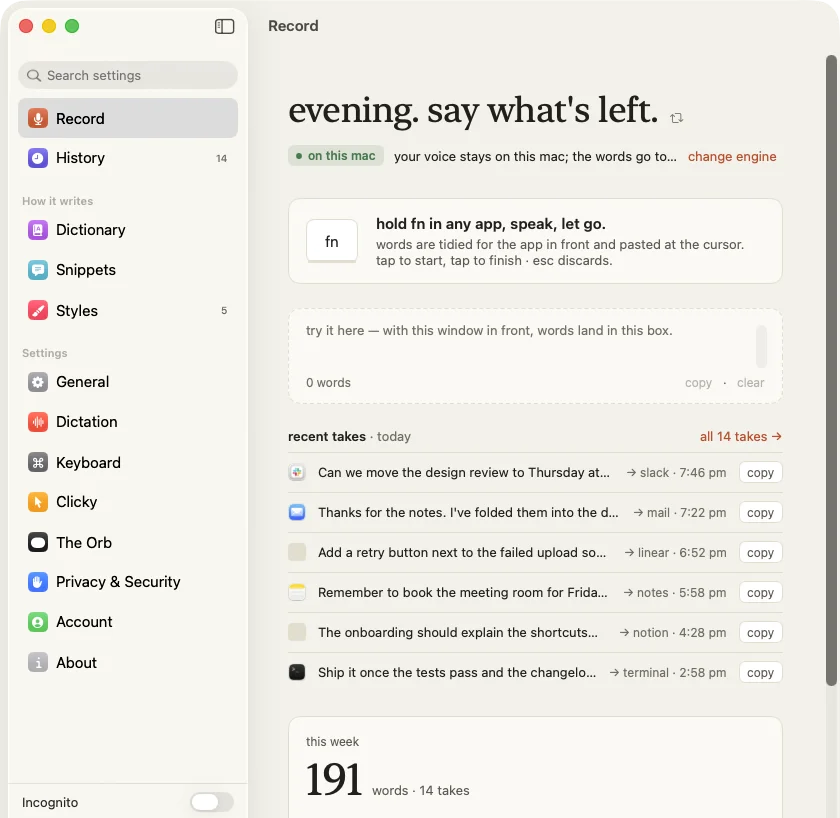
Hold fn, talk, let go
Your words are typed where the cursor is, cleaned up in the style of the app in front. A small orb at the bottom of the screen shows every step.
- Default
- Apple’s on-device recogniser. Nothing leaves your Mac
- Online
- Sarvam with your key, or your OpenAI key or a free account
- Rewrite
- Select text, say “make it formal”, and it is rewritten
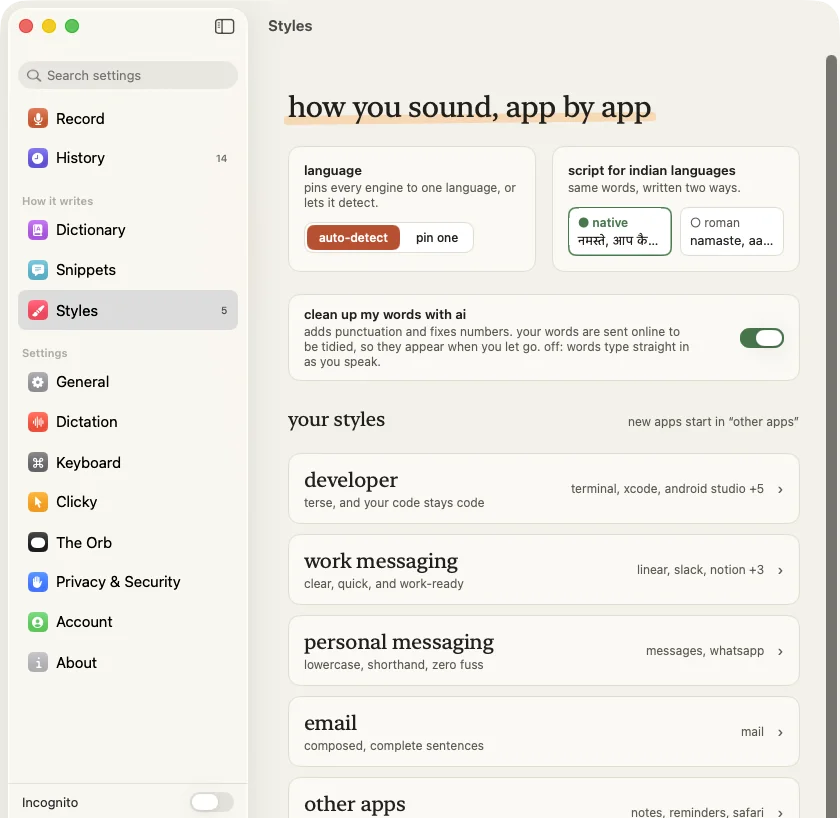
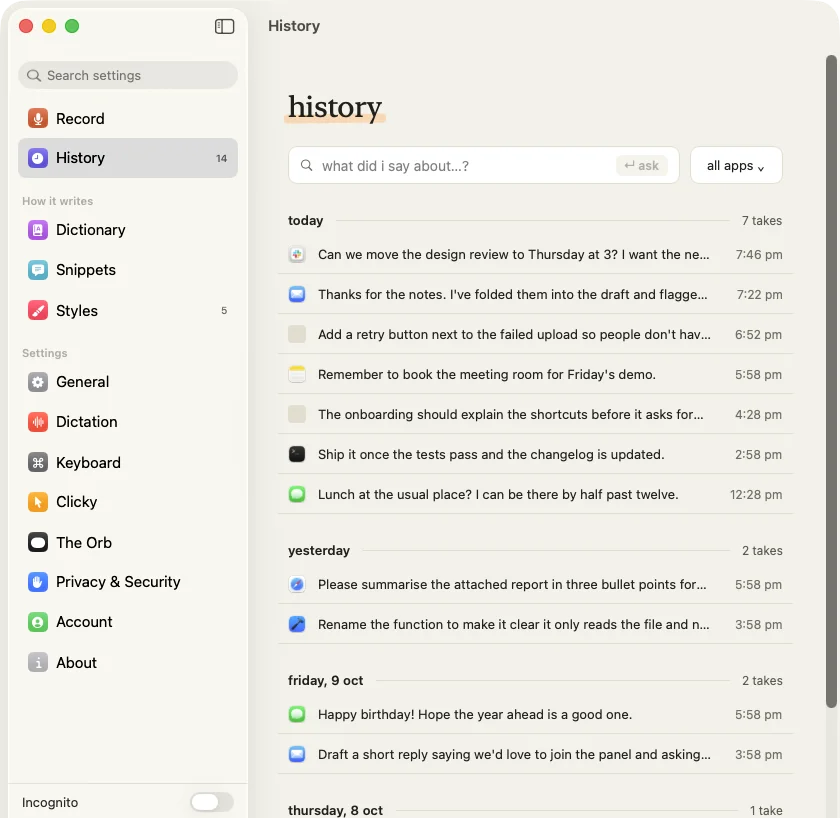
It writes the way you do, app by app
Code stays code in the terminal, messages stay lowercase in chat, email gets full sentences. Names are spelled your way, and every take is kept on your Mac to search later.
- Styles
- Developer, work and personal messaging, email, and the rest
- Dictionary
- Names spelled your way, and spoken shortcuts that expand
- History
- Stored on this Mac, searchable, with an incognito mode
When it is more than a question
Say “make”, “fix” or “run” and the task goes to a Codex agent that works with your files, commands and apps.
Your own keys need no account. Put an OpenAI or Anthropic key in the settings and the app calls them directly. OpenClicky’s servers are not involved.
Coming next
On your smart glasses
OpenClicky carries on the work we started with Sidekick. Glasses support is next: ask out loud, and the answer finds you on the lens.
What it runs on
From the README, as of October 2026.
| macOS | 14.2 or later, Apple Silicon and Intel, notarized. Updates itself |
|---|---|
| Windows | 10 (2004 or later) and 11, x64 and ARM64, signed through the SignPath Foundation |
| Linux | Early: Python and GTK 3, X11 only for now |
| Install | The dmg, or brew install --cask flowsxr/tap/openclicky |
| AI | Your OpenAI and Anthropic keys, or a free account |
| Agent lane | The openclicky CLI and Codex |
| Licence | MIT |
Built in the open
It began with Google DeepMind’s AI pointer and Farza’s open-source Clicky, and its dictation is modelled on Sarvam’s Kivi. OpenClicky is independent of all three.